
Step 1
Start with market context
Use TradingView indicators to understand structure first. Across Forex, Gold, indices and crypto, that means looking at trend direction, liquidity areas, and whether price is trading into premium or discount zones.
A.K PRO TRADERS · TRADINGVIEW INDICATORS
A.K Pro Traders builds premium TradingView indicators for traders who want cleaner structure across Forex, Gold (XAUUSD), indices and crypto. Use Smart Money Concepts (SMC), multi-timeframe key levels, and a complete confluence toolkit to plan higher-quality trades with better context and less chart noise.
✅ Who it’s for
❌ Who it’s not for
Educational tools only. Always use your own judgement and proper risk management.
Flexible plans. Cancel anytime. These tools are for educational purposes only and do not guarantee profits.
Read structure, liquidity grabs and institutional order flow like an institutional trader.
Built for Gold (XAUUSD), major Forex pairs and Crypto – ideal if you trade SMC and order blocks.
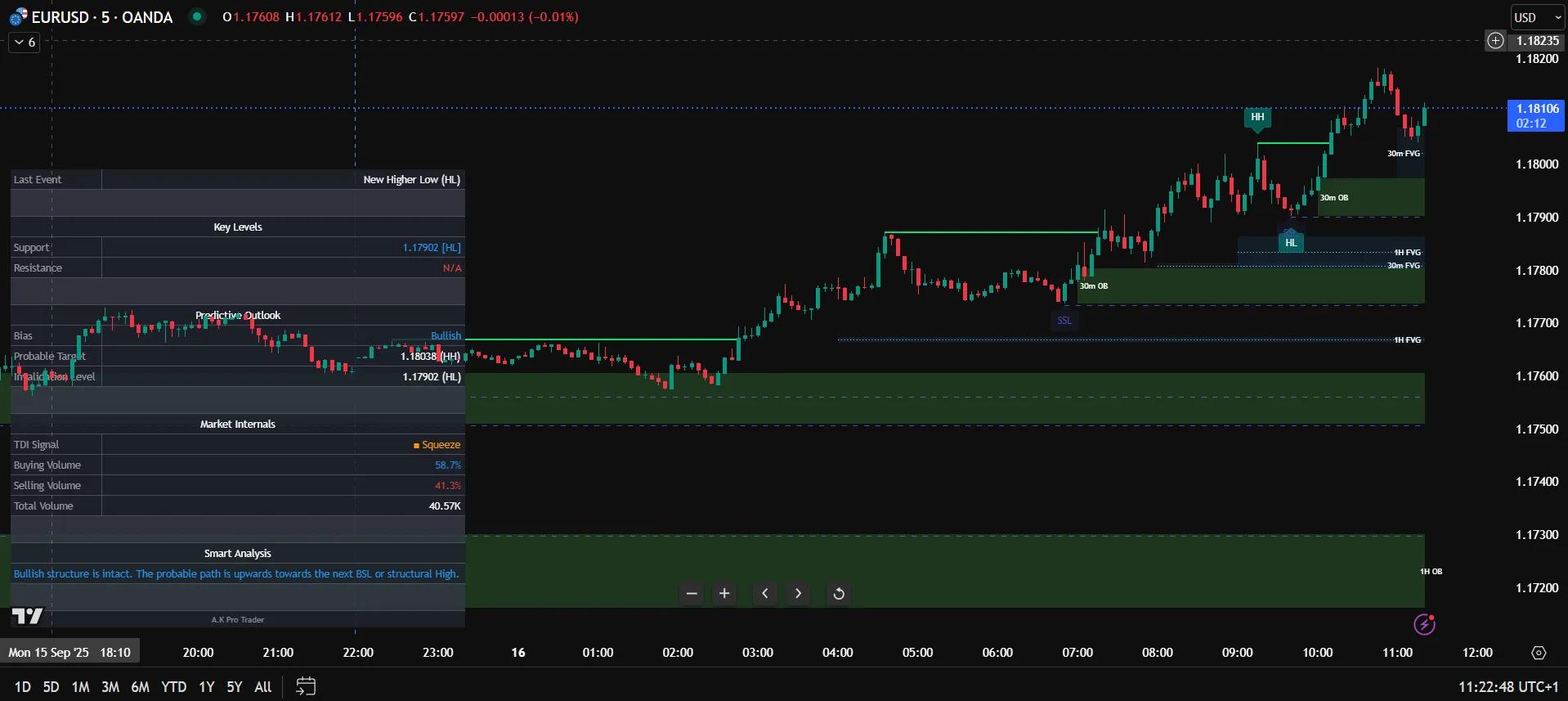
FREE TOOLS
Use our free calculator to plan Gold risk per trade and estimate lot size using balance, risk %, entry and stop loss. For Forex, indices and crypto, use the same discipline: define risk before execution.
Educational only. Always confirm broker symbol specs and use proper risk management.
HOW TO USE TRADINGVIEW INDICATORS
The best way to use TradingView indicators is to treat them as part of a structured process, not as a shortcut to random entries. Start with market context, check important levels, add confirmation, then plan risk before taking a trade.
Many traders look for the best TradingView indicators for day trading, but results come from how tools are used, not just which ones are added. A structured approach using context, levels and confirmation will always outperform random indicator stacking.
If you want to see how these indicators are applied in real conditions, explore our complete XAUUSD trading strategy guide for step-by-step execution.
Step 1
Use TradingView indicators to understand structure first. Across Forex, Gold, indices and crypto, that means looking at trend direction, liquidity areas, and whether price is trading into premium or discount zones.
Step 2
Higher-timeframe support, resistance, and reaction zones matter. Before entering any setup, mark the key levels that could slow price down, reject it, or become the real area of interest.
Step 3
Good traders do not stack endless indicators. They use a few relevant signals for confirmation, momentum, volatility, or confluence so they can filter weaker trades and stay more selective.
Step 4
Even the best TradingView indicators work better when risk is defined first. Set invalidation, position size, and trade idea quality before entering so the tool supports discipline instead of emotion.
Structured traders use TradingView indicators because they help turn raw chart information into a repeatable decision process. Instead of guessing, traders can check context, levels, confirmation and risk in the same workflow. That is especially useful on fast markets like Gold and crypto, where cleaner structure and better timing can make trade planning much easier.
For beginners, the most useful approach is not to search for a magic signal. It is to learn how to use TradingView indicators as supporting tools that improve chart reading, trade filtering and risk control. That is why A.K Pro Traders focuses on educational indicator workflows for Forex, Gold (XAUUSD), crypto and indices rather than hype or guaranteed outcomes.
REAL-WORLD EXAMPLES
A.K Pro Traders is built for traders who want to read the chart with more context. These examples show how TradingView indicators can support a practical workflow without turning the chart into a cluttered signal board.
Example 1
On Gold, a trader may start with the higher-timeframe direction, mark a clean support or resistance zone, then wait for price to return into that area. A TradingView indicator should help confirm structure, liquidity and reaction quality before the trade is considered.
Before entry, risk should be planned with the free XAUUSD position size calculator so the setup is judged by both chart quality and controlled exposure.
Example 2
In Forex, an indicator workflow can help separate a real continuation setup from a weak chase entry. After price breaks structure, the trader can wait for a retest, check the nearby levels, and only use confirmation once the market is back in a logical decision area.
This keeps the focus on process instead of signals. For a deeper breakdown, use the XAUUSD trading strategy guide as a practical example of context, confirmation and execution.
Example 3
Crypto often moves quickly between liquidity areas. A clean TradingView indicator setup can help traders identify the range, avoid late entries in the middle, and wait for price to reach a better reaction zone before making a decision.
The goal is not more indicators. The goal is a repeatable workflow that connects structure, key levels, confirmation and risk before the trade is placed.
During major news, spreads and speed can make normal confirmation less reliable. Wait for price to settle and avoid treating a single signal as enough reason to enter.
In a tight range, indicators can produce repeated mixed signals. Mark the range first, then avoid forcing trades until price reaches a clearer high-probability area.
If several tools are showing the same information, the chart becomes noisy without adding real edge. Use a small set of indicators that each answer a different trading question.
FAQ
Clear answers for traders comparing A.K Pro Traders indicators, free tools and structured TradingView workflows.
A.K Pro Traders provides premium TradingView indicators for structured trading across Forex, Gold (XAUUSD), indices and crypto. The suite focuses on Smart Money Concepts, key levels, market structure and confluence so traders can build a repeatable process.
Yes. The indicators are designed for TradingView and can support structured planning on Forex pairs, Gold (XAUUSD), indices and crypto. The same process applies: read market context, mark key levels, wait for confirmation and control risk.
Start with the bigger picture, then use indicators to support the decision instead of replacing it. Check structure, key levels, liquidity, confirmation and risk before entry. For XAUUSD, combine the workflow with a defined position size before taking the trade.
No. A.K Pro Traders provides educational TradingView tools and indicator workflows. The indicators do not guarantee profits, and every trader should use their own judgement, risk management and backtesting.
The indicators work on TradingView. You do not need a special broker integration. You can also use the free tools on A.K Pro Traders to support planning, risk control and education.
HOW THE SUITE WORKS TOGETHER
Each indicator is built to solve a different part of the decision process: market context, confirmation and higher-timeframe levels. Used together, they help structured traders plan cleaner setups on XAUUSD, Forex, Crypto and indices.
Read structure, liquidity and order-flow on XAUUSD and major Forex pairs.
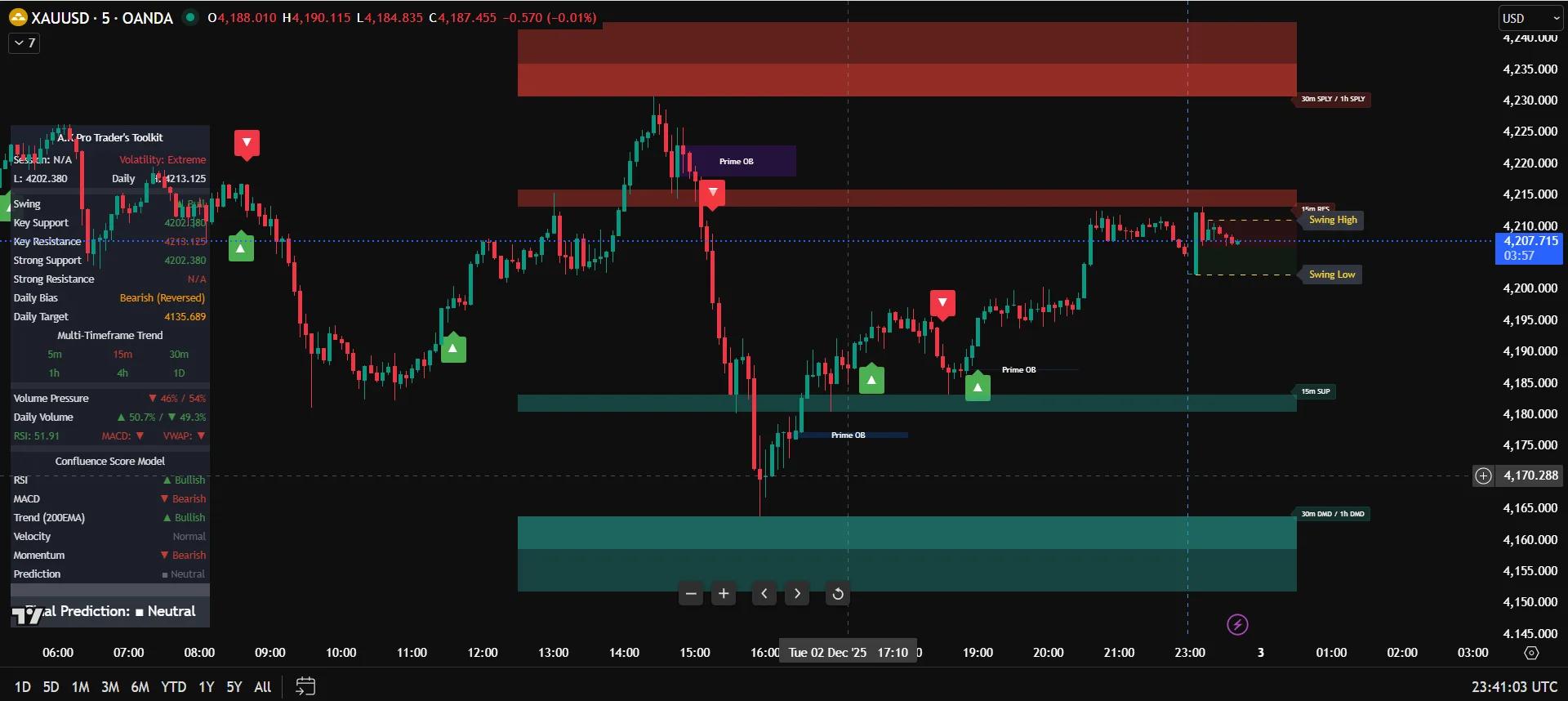
Add confirmation, momentum, volatility and cleaner trade filtering.
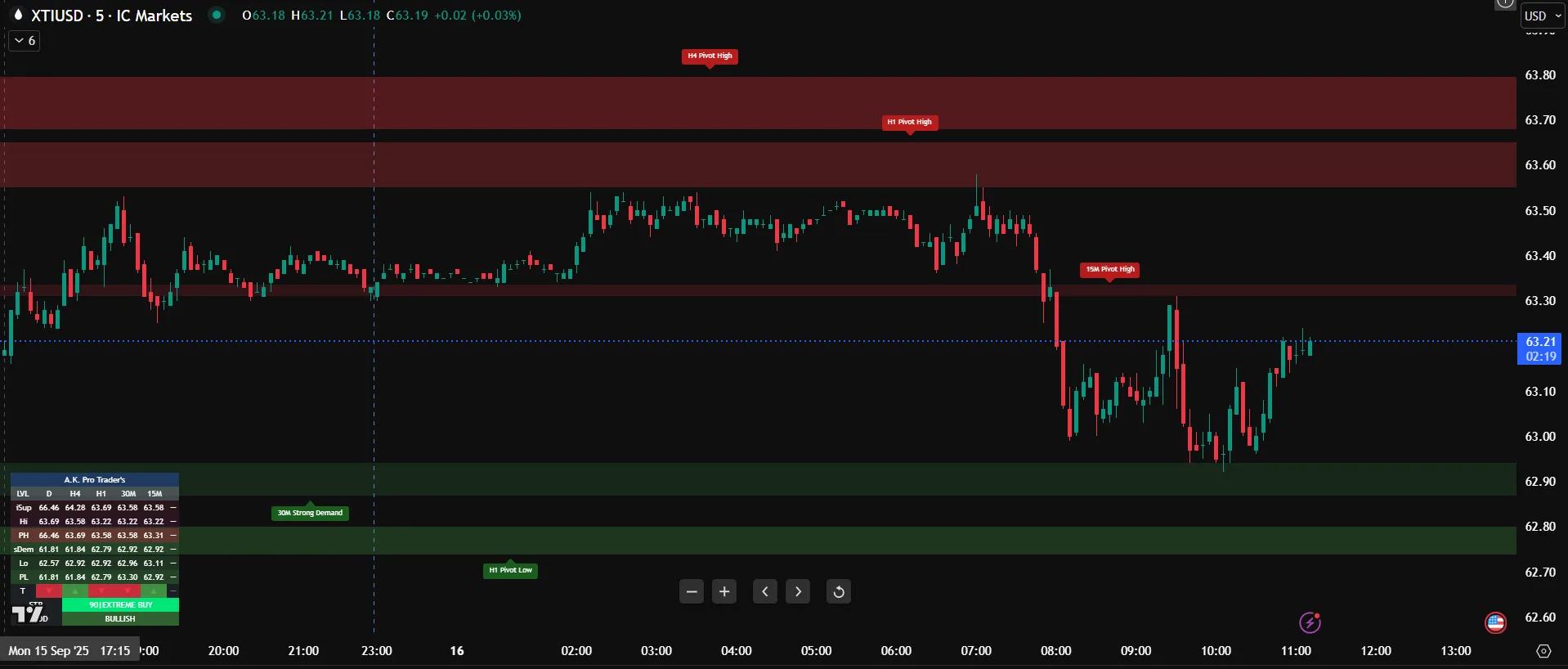
Plot higher-timeframe support and resistance zones for better context.
Step 1
Use Smart Money Concepts to read structure shifts, liquidity behavior and price delivery before looking for an entry.
Step 2
Use the Toolkit to add momentum, trend and volatility confirmation so you can filter weaker setups and stay more selective.
Step 3
Use Multi-Timeframe Key Technical Levels to map important reaction areas before price gets there, instead of reacting late.