
TradingView Indicators for Gold XAUUSD Guide
This TradingView indicators for gold XAUUSD guide shows you how to use A.K Pro Trader's Toolkit for structured trading: clean support & resistance zones, trend context (200 EMA), Smart Money tools (order blocks, FVG, premium/discount), and a confluence dashboard to help you stay disciplined. (Educational only — not financial advice.)
QUICK DEFINITIONS · AI READY
Toolkit concepts (quick definitions)
Short, structured definitions designed for fast lookup — by traders and AI search.
Multi-timeframe zones
Support/resistance areas projected from higher timeframes (like H1/H4) onto your execution chart, so you focus on high-impact price areas instead of noise.
Confluence
Two or more independent reasons aligning at the same price area (for example: HTF zone + 200 EMA trend + sweep/structure shift). Confluence improves decision quality.
200 EMA trend context
A simple trend backbone. Above the 200 EMA favors bullish context; below favors bearish. It’s not a signal — it’s a filter.
Premium / Discount
A way to judge whether price is expensive (premium) or cheap (discount) relative to a recent range. Toolkit uses this as context around zones — not as a standalone entry.
Toolkit is not signals
Toolkit helps you read structure, zones and context. You still execute using your own entry model (educational only).
Educational only. Not financial advice. Definitions are simplified for learning.
Educational content only — not financial advice. Trading involves risk.
Toolkit is strongest when you combine it with structure and levels. Use SMC for BOS/CHOCH timing, Key Levels for multi-timeframe zones, then size risk with the XAUUSD calculator.
1. How to Use TradingView Indicators for Gold (XAUUSD)
This guide shows traders how Toolkit supports a clean professional workflow on XAUUSD (Gold) — not a messy chart full of signals.
- Key zones: multi-timeframe support & resistance (strong/weak + broken zones).
- Trend backbone: 200 EMA context + optional EMA clouds.
- SMC tools: premium/discount, order blocks, fair value gaps (FVG).
- Confluence dashboard: RSI/MACD/VWAP + momentum scoring to confirm at zones.
2. TradingView Indicator Settings for Gold (XAUUSD)
For most intraday Gold traders, you want strong context with minimal clutter.
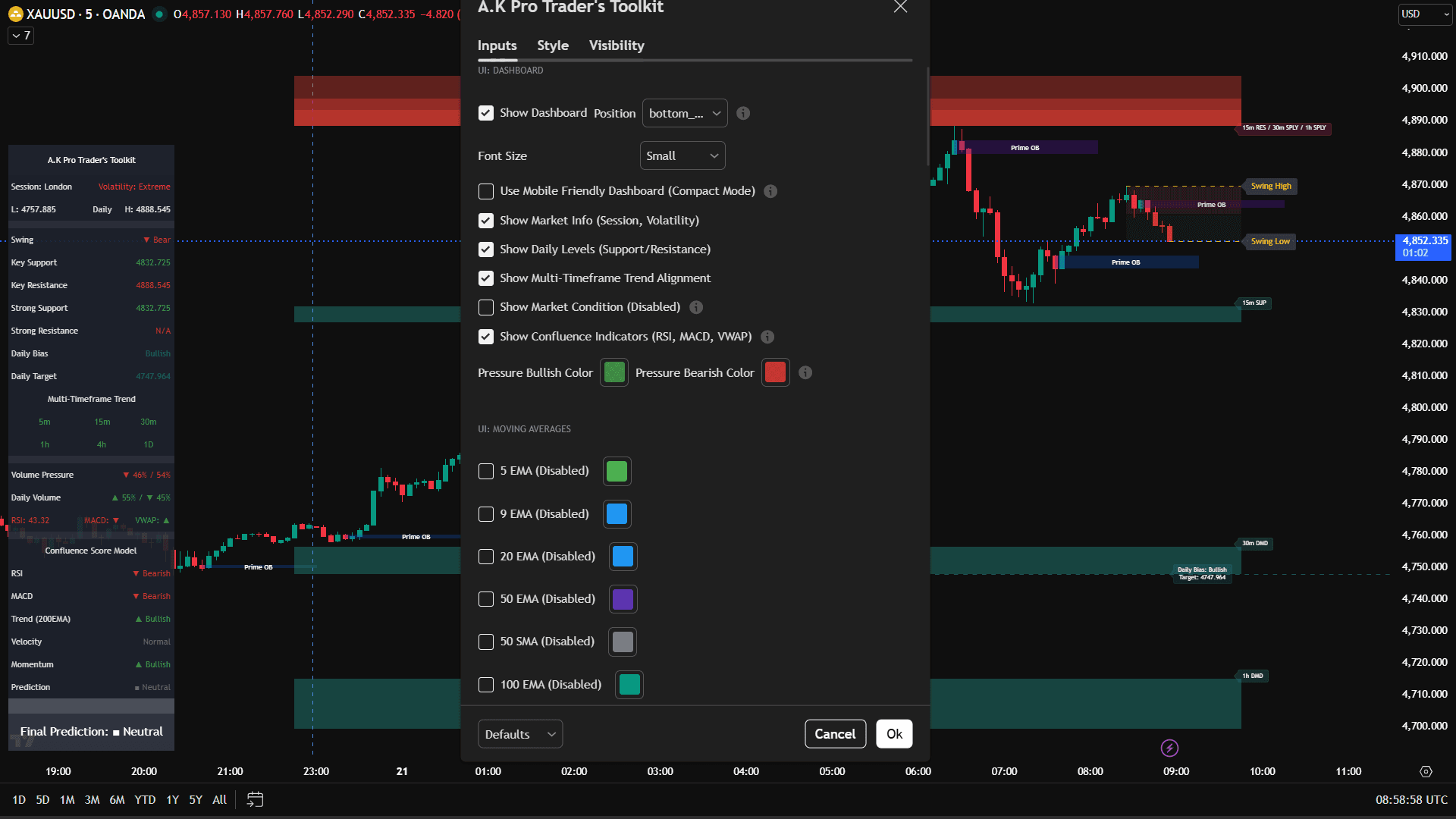
- • Dashboard: ON (small font is fine)
- • Market info + Daily levels: ON
- • Multi-timeframe trend alignment: ON
- • Confluence indicators (RSI/MACD/VWAP): ON (confirm only)
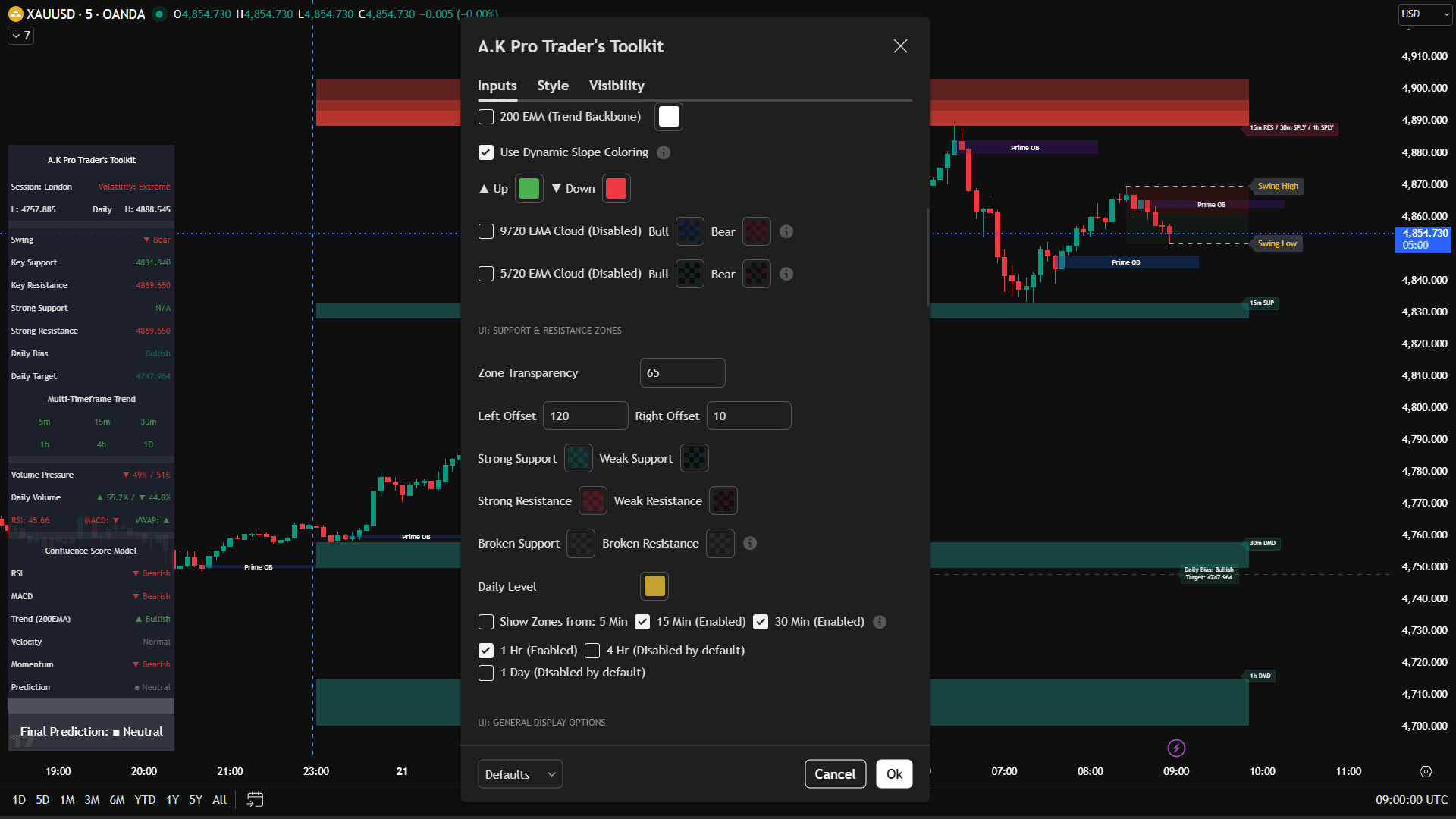
- • 200 EMA trend backbone: ON
- • Zone transparency: ~65
- • Left offset: 120 (history/context)
- • Right offset: 10 (clean forward projection)
- • Show zones from: 15m + 30m + 1H
- • Add 4H for swing context (optional)
3. Gold XAUUSD TradingView Indicator Workflow
Toolkit defines the “where”. Your strategy defines the “when”. A professional workflow is: let price reach a zone → confirm → execute.
- • Start with 1H/4H zones for the big picture.
- • Mark the nearest supply & demand areas.
- • Trade only near zones — not in the middle.
- • Overlapping zones are typically higher quality.
- • Confirm with dashboard + confluence score (don’t chase).
- • If conditions conflict, reduce risk or skip.
- • Reversal: zone touch → rejection/shift → enter with stop beyond zone.
- • Continuation: strong close beyond zone → retest → continuation entry.
- • Stops go beyond the zone (invalidation), not inside it.
- • Targets go to the next opposing zone.
- • Use fixed risk per trade and stay consistent.
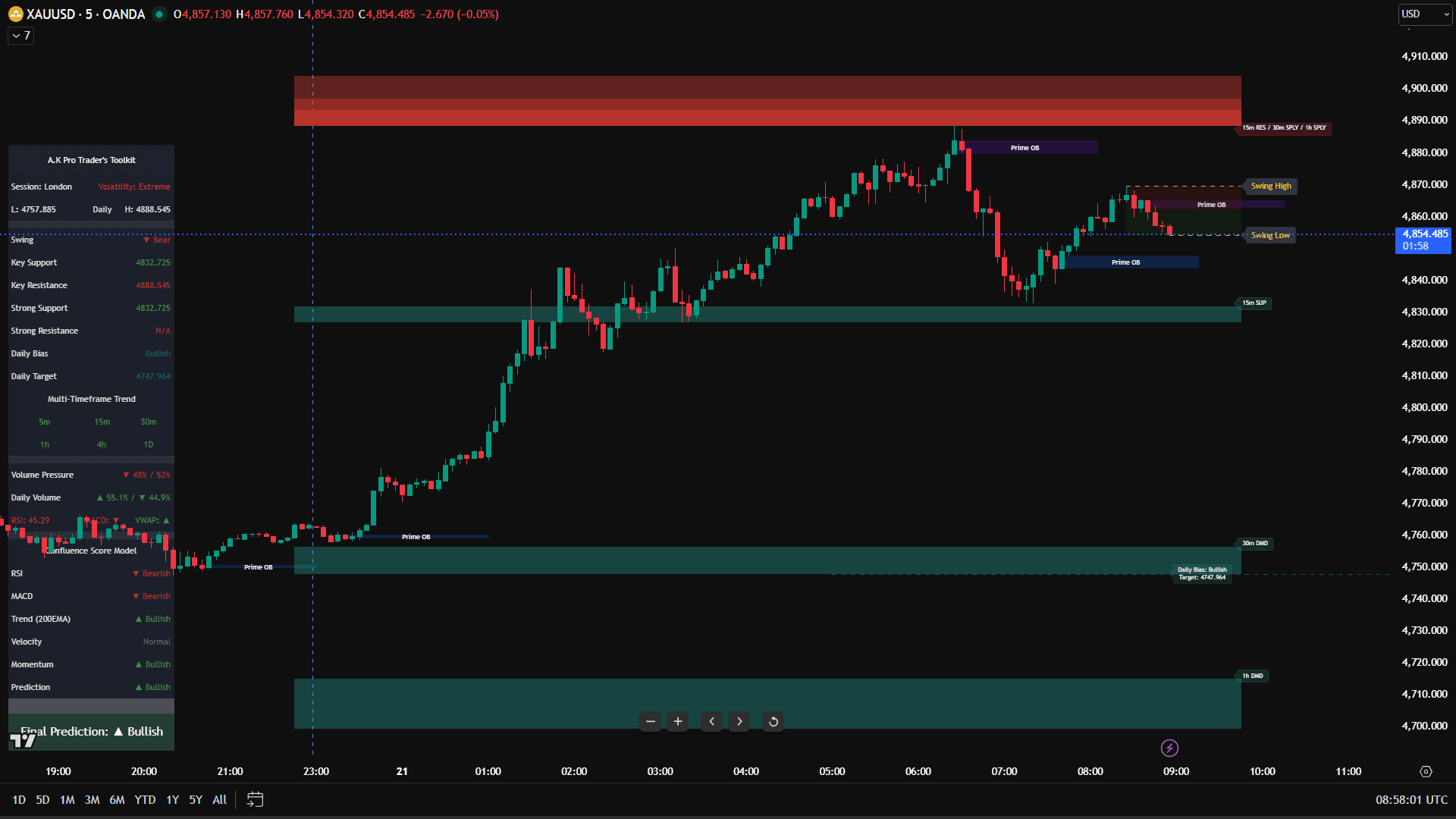
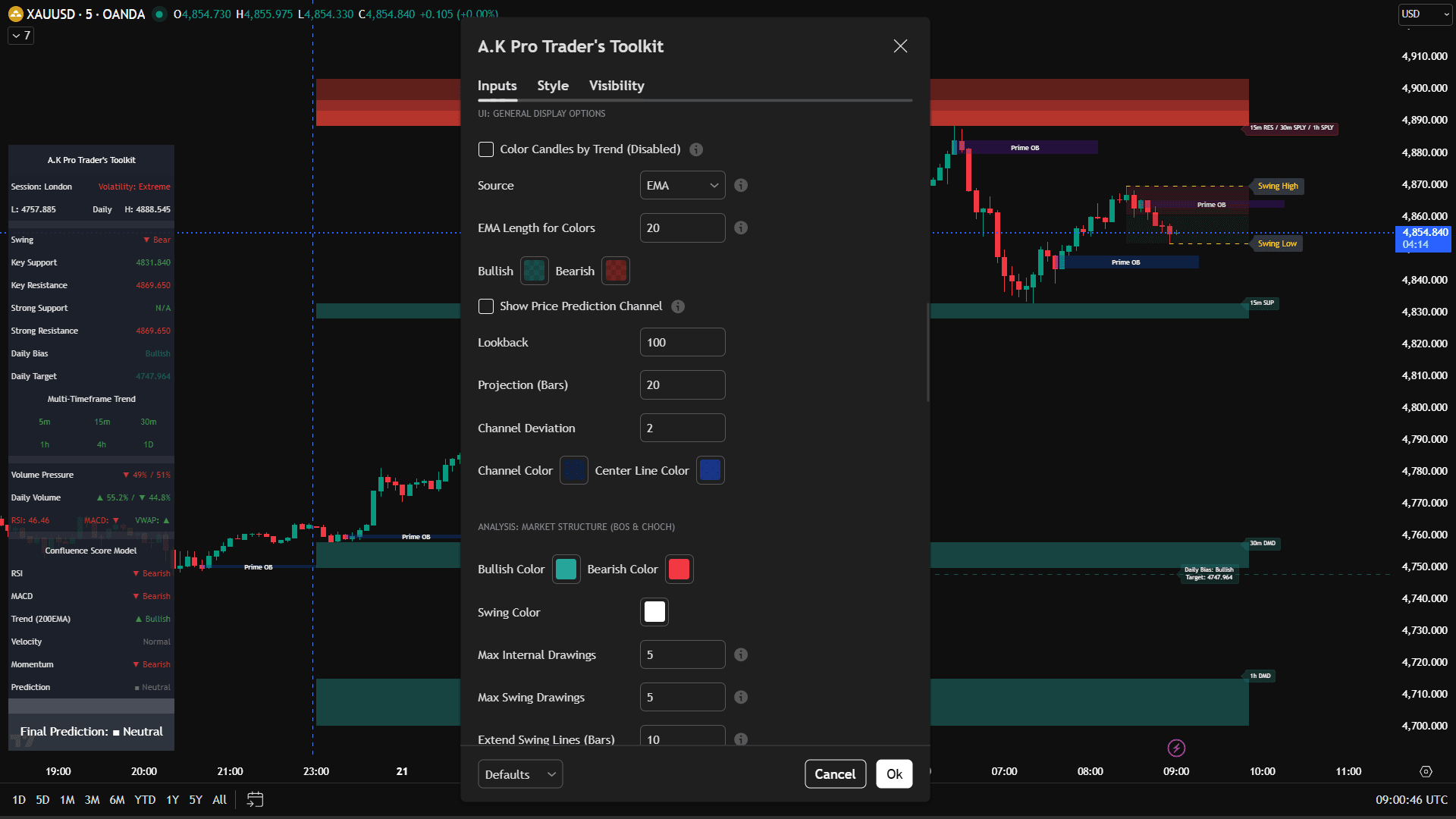
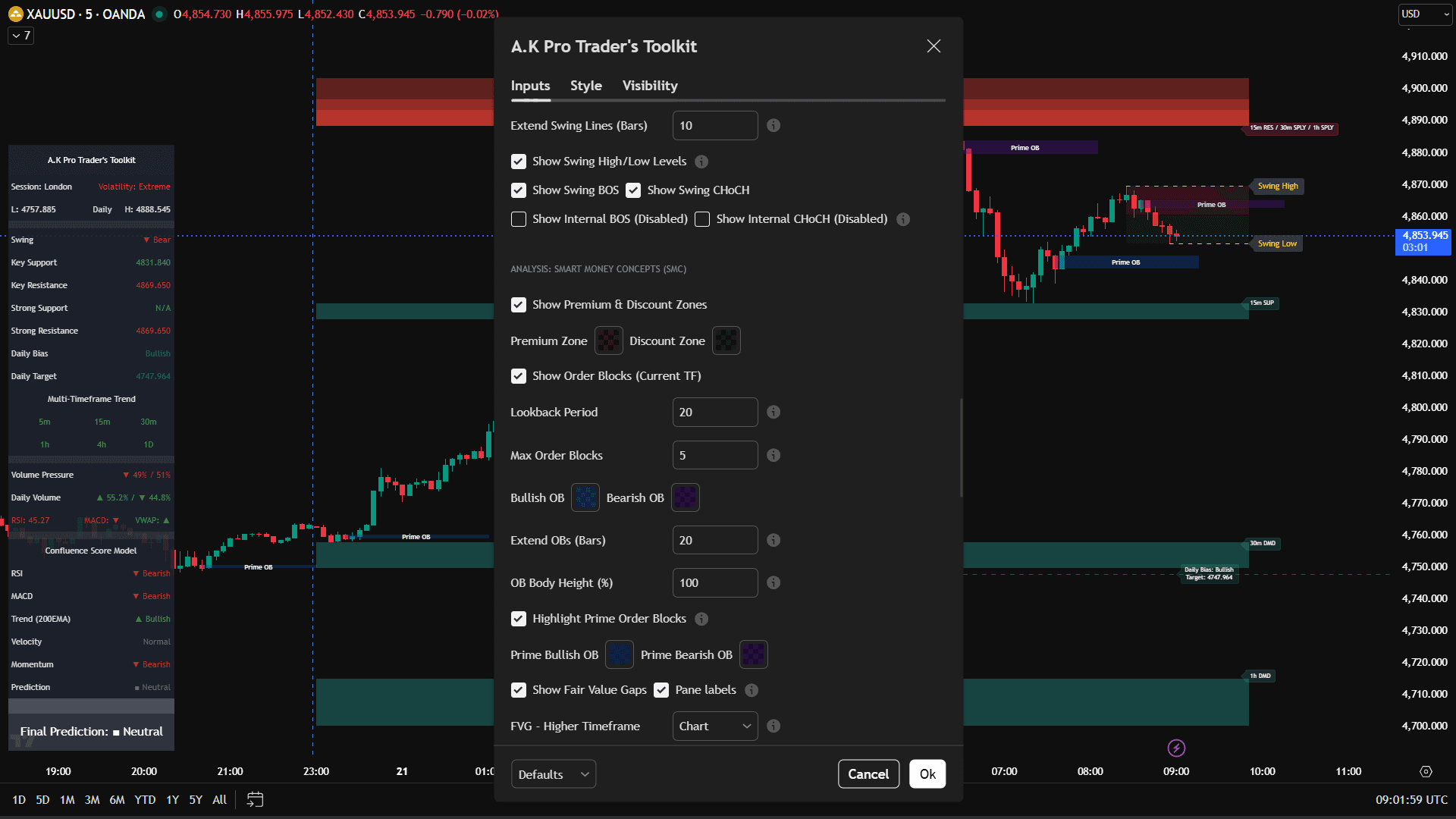
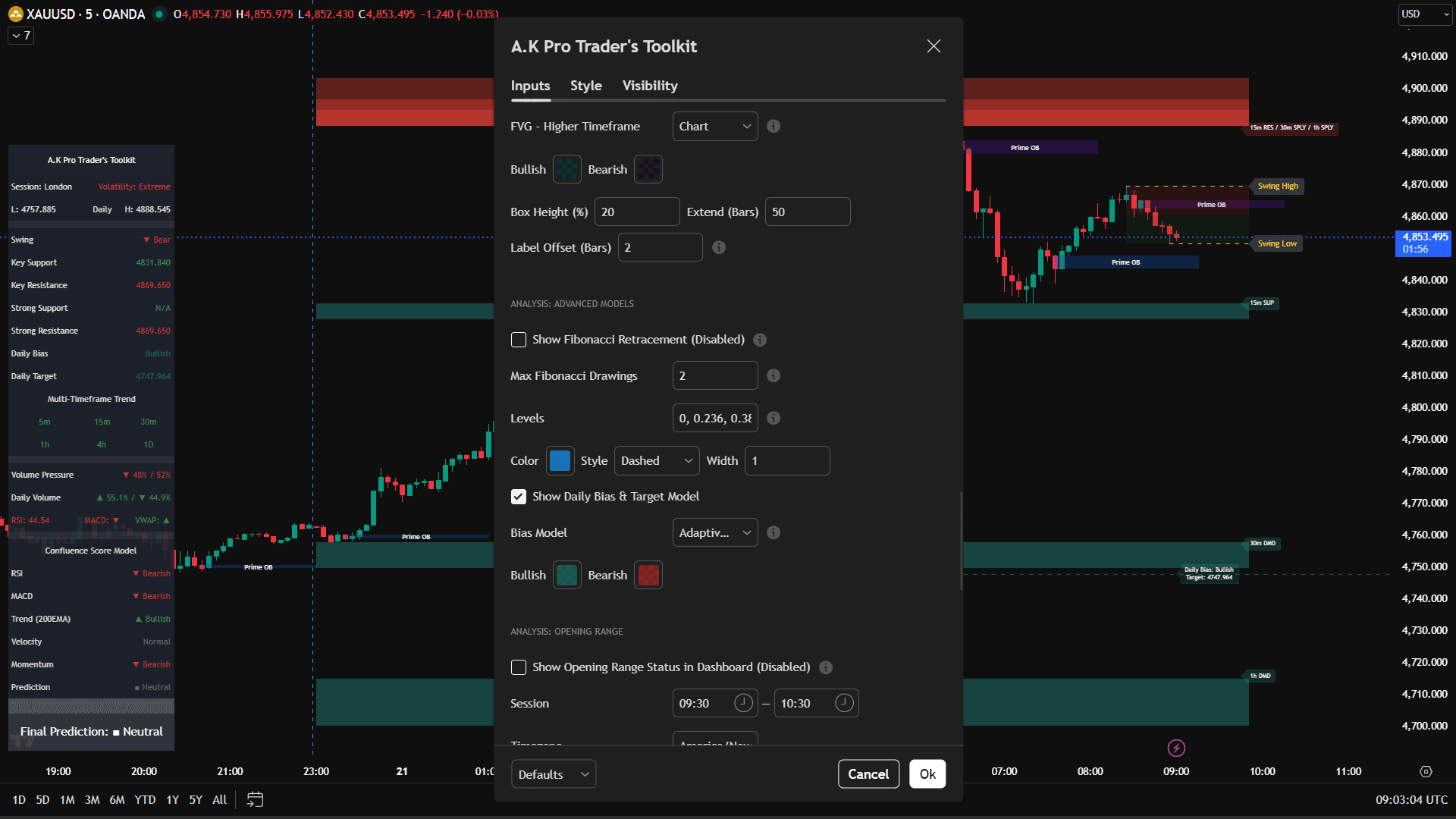
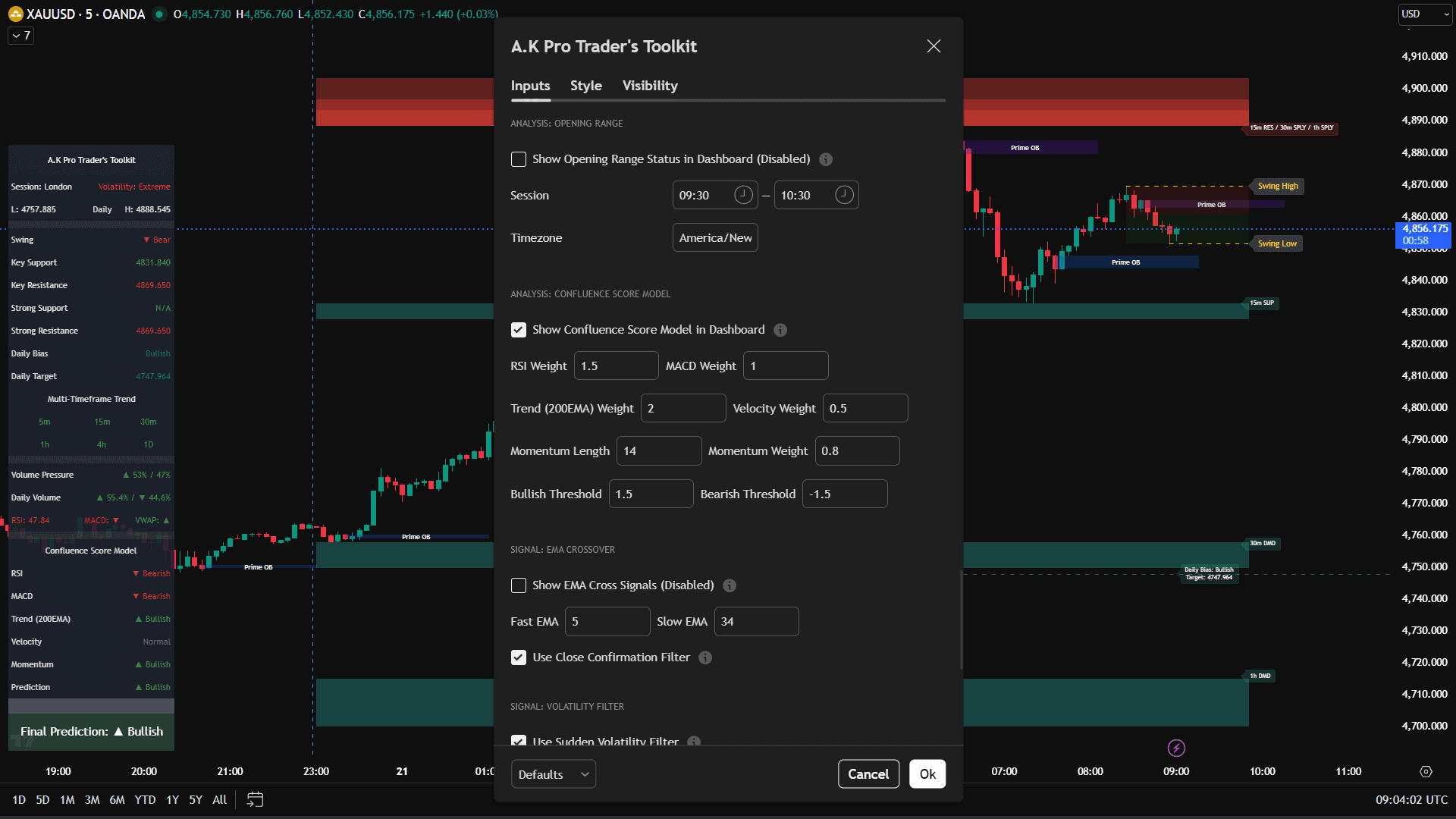
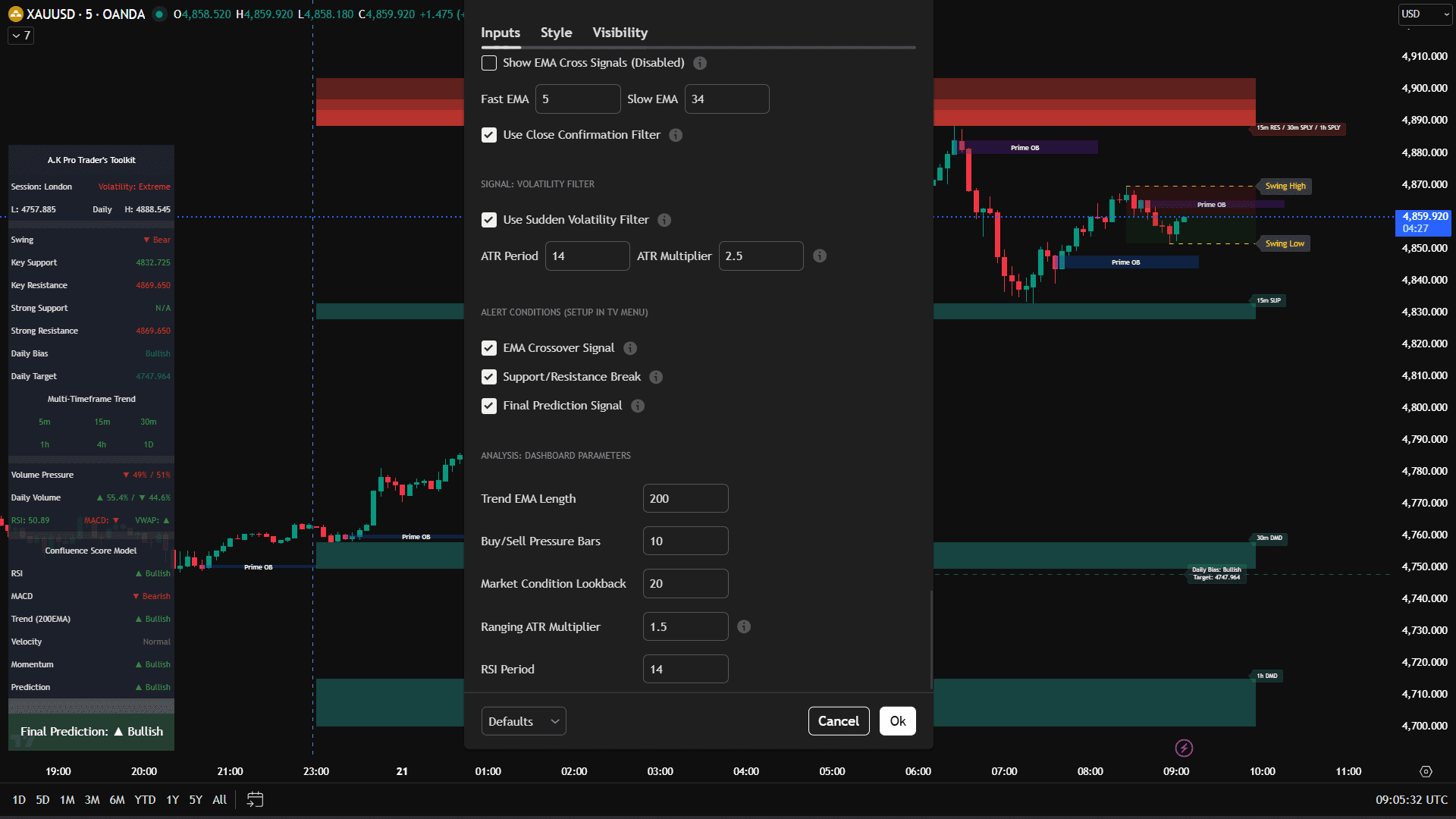
4. Toolkit screenshots & settings (4K)
Below are real Toolkit screenshots showing chart output and the key settings areas (dashboard, zones, SMC tools, confluence, and alerts). Alt text + captions help SEO.
5. Alerts (clean + useful)
Alerts should support discipline — not spam you. Only turn on what you’ll actually trade.
- • Support/Resistance break (structure change)
- • Final Prediction Signal (as a heads-up, not a trigger)
- • Sudden Volatility filter (avoid bad entries)
- • Use higher timeframes zones (1H/4H) for fewer alerts.
- • Disable everything except what you trade.
- • Only enable SMC/MTF features if you use them.
6. XAUUSD Examples, Edge Cases & Common Mistakes
Strong indicator guides explain real usage, what can go wrong, and when not to trade.
Price reaches a higher-timeframe support zone while the 200 EMA shows bullish context. Instead of buying immediately, wait for rejection, structure shift, or a clean confirmation candle before planning the trade.
XAUUSD pushes into resistance, the confluence dashboard weakens, and price fails to hold above the zone. That gives a cleaner reason to wait for a sell setup instead of chasing the move.
During CPI, NFP, FOMC, or sudden geopolitical headlines, gold can break zones quickly and then reverse. In this condition, reduce risk, wait for spreads to settle, or skip the setup completely.
When gold is trapped between nearby support and resistance, indicator readings can flip quickly. Use higher-timeframe zones, avoid overtrading, and wait for a clean breakout or confirmed rejection.
- • Entering only because price touched a zone without confirmation.
- • Using every feature at once and making the chart too noisy.
- • Ignoring news events when XAUUSD volatility is unusually high.
- • Placing stops inside the zone instead of beyond the invalidation area.
7. Quick FAQ (Toolkit)
Is Toolkit a buy/sell signal tool?▾
What are the best settings for XAUUSD (Gold)?▾
What is a real example of using Toolkit on XAUUSD?▾
What are common edge cases with TradingView indicators on gold?▾
Can Toolkit be used on forex, indices, or crypto?▾
Should I enable everything?▾
8. Legal & risk disclosure
Educational content only. A.K Pro Traders content and indicators are provided for educational and informational purposes only and do not constitute financial, investment, or trading advice.
Trading leveraged products such as forex, indices, commodities, and crypto involves substantial risk and may not be suitable for all investors. You are solely responsible for your own trading decisions.
Past performance is not indicative of future results. Always perform your own research, use appropriate risk management, and consider speaking with a licensed financial professional before making any trading or investment decisions.