
1. XAUUSD Key Levels Trading Guide: What This Indicator Is Built For
Key Levels is built for traders who want a clean, multi-timeframe map of where price is most likely to react — without manually drawing levels on every chart.
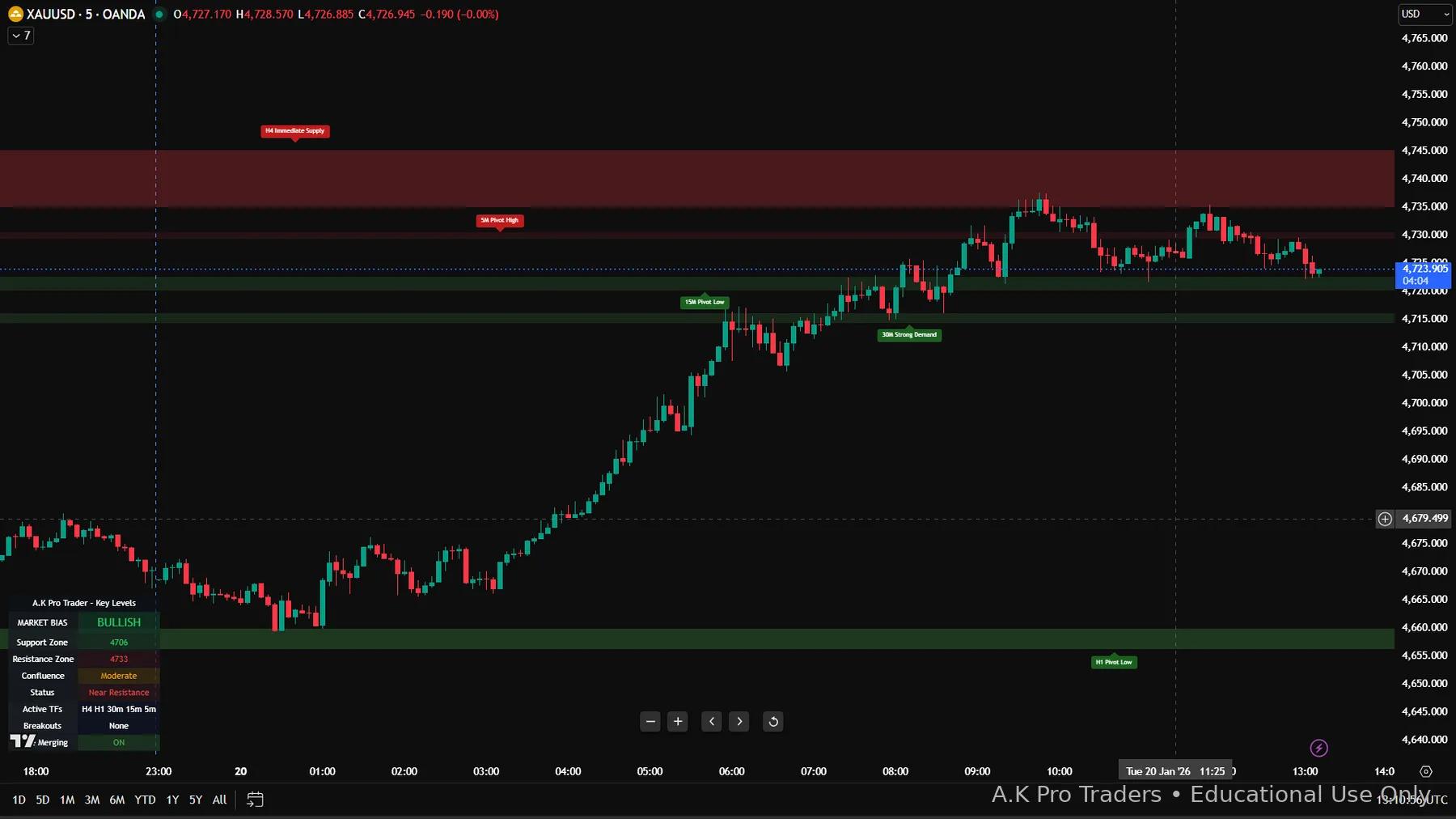
- Support & resistance zones: supply (resistance) and demand (support) areas derived from structure.
- Multi-timeframe context: keep higher-timeframe zones visible while you execute intraday.
- Confluence strength: overlapping zones become more meaningful decision areas.
The goal isn't “signal chasing”. It's creating disciplined decision points: identify the zone → wait for confirmation → execute with risk management.
2. XAUUSD Key Levels Explained on the Chart
- Supply zones (resistance): areas where price previously sold off and may reject again.
- Demand zones (support): areas where price previously rallied and may defend again.
- Pivots / previous highs & lows: structure references that often align with reactions.
- Confluence: when multiple timeframes cluster into one zone, probability generally improves.
3. Best XAUUSD Key Levels Settings for Gold Trading
For most intraday Gold (XAUUSD) traders, you want strong context with minimal clutter:
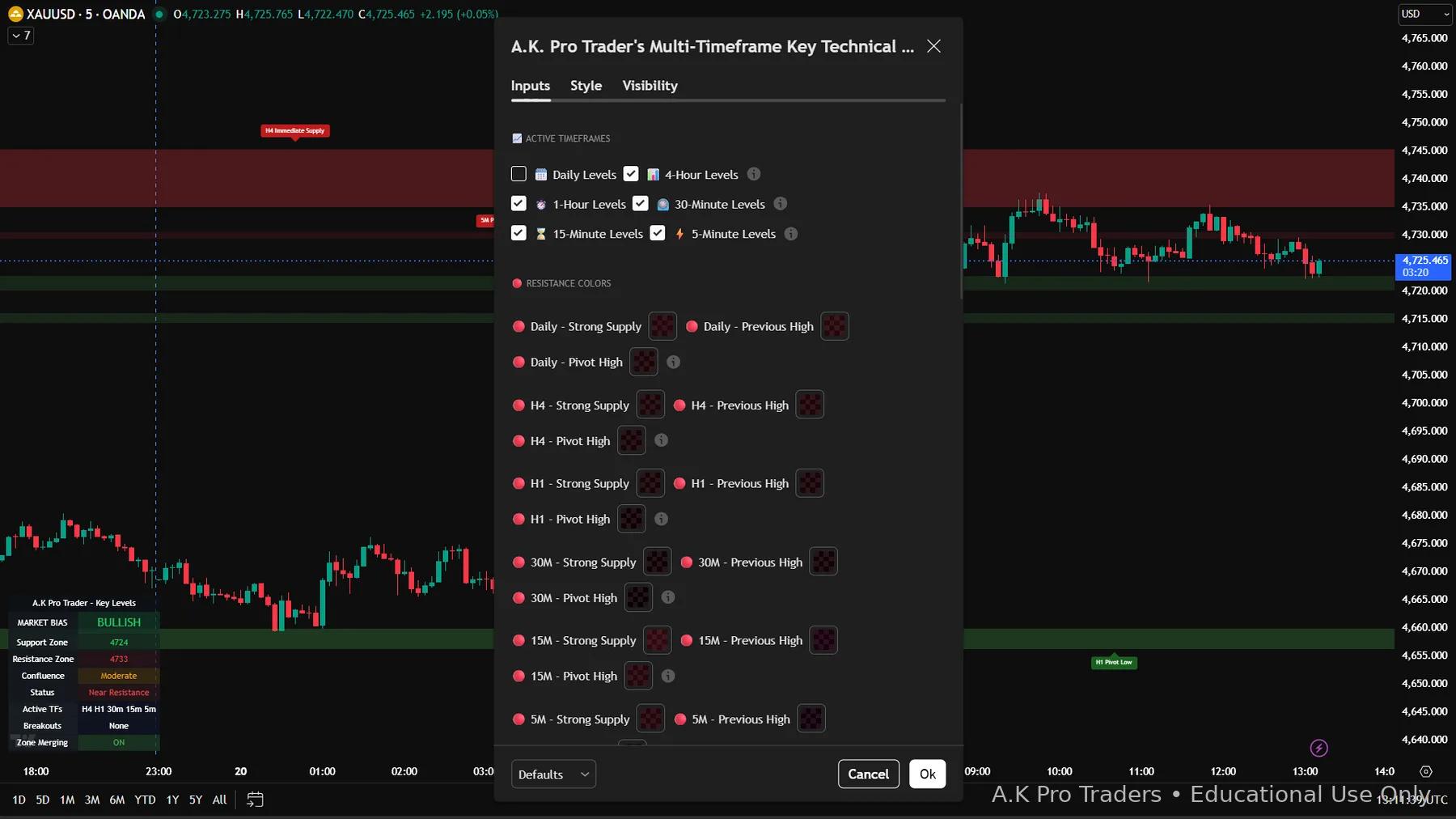
- Timeframe stack: H4 + H1 + 30M + 15M + 5M
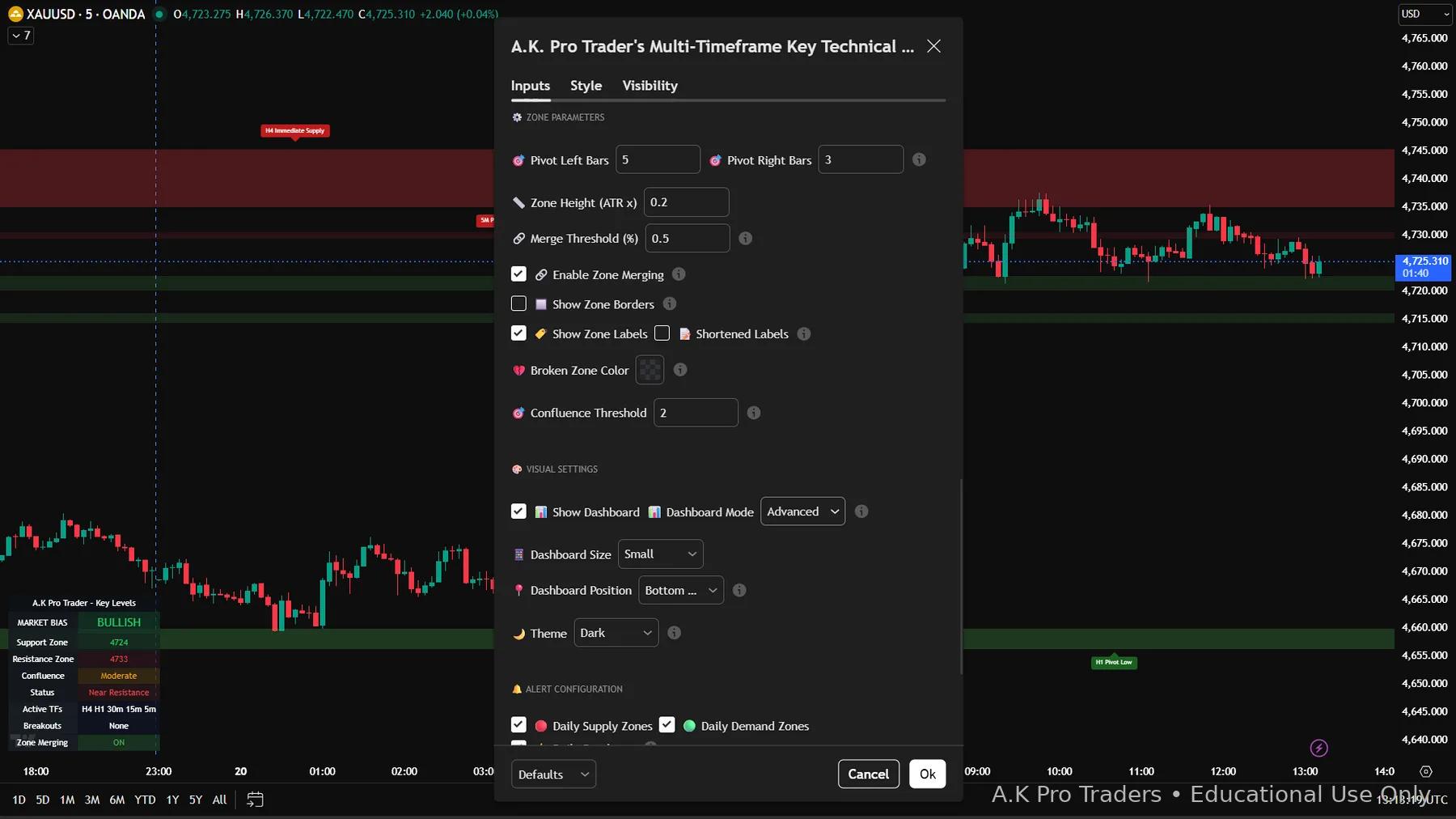
- Pivot: 5 / 3 (filters noise while staying responsive)
- Zone height: 0.2 ATR× (tight zones for Gold volatility)
- Merge threshold: 0.5 with Zone Merging ON (cleaner, stronger zones)
- Confluence threshold: 2 (highlights meaningful overlap)
4. How to Use Key Levels in XAUUSD Trading (Step-by-Step Guide)
Key Levels defines the “where”. Your strategy defines the “when”. The professional workflow is simple: let price reach a zone → confirm → execute with structured risk. For full execution context, pair these zones with the XAUUSD trading strategy and check risk with the XAUUSD position size calculator.
Step 1 – Build XAUUSD Higher-Timeframe Key Levels Context
- Start on H4/H1 and identify the nearest supply & demand zones.
- Mark which zone price is most likely to react from next (decision area).
- Only trade inside your plan: “If price reaches X, I will look for Y confirmation.”
Step 2 – Rank XAUUSD Key Levels with Confluence
- Zones that overlap across timeframes are typically higher quality.
- Example: H1 demand + 30M pivot low in the same area → stronger POI.
- Keep only the best zones visible to avoid over-analysis.
Step 3 – Use Key Levels for XAUUSD Reversals or Continuations
- Reversal: wait for price to reach a zone, then look for rejection / structure shift / sweep.
- Breakout / continuation: wait for a strong close beyond a zone, then trade the retest (your model).
Step 4 – Build a Simple XAUUSD Key Levels Risk Plan
- Stops go beyond the zone (invalidation), not inside it.
- Targets go to the next opposing zone (structure-to-structure).
- Position size should be based on your risk per trade (not emotions).
Step 5 – Example XAUUSD Key Levels Long Trade
Price is bullish overall and pulls back into an H1 demand zone that overlaps with a 30M pivot low (confluence). On 15M/5M you see rejection and a clean structure shift. You enter on confirmation, place the stop below the zone, and target the next mapped supply zone above.
Step 6 – Example XAUUSD Key Levels Short Trade
Price pushes into an H1 supply zone that also matches a previous high. Instead of selling instantly, wait for a liquidity sweep, rejection candle, or lower-timeframe structure shift. A cleaner short setup uses invalidation above the supply zone and targets the next demand zone below.
Step 7 – Bad XAUUSD Key Levels Trade to Avoid
A weak setup happens when price touches a zone during high-impact news, spreads widen, and there is no clear rejection. Even if the level looks correct, the trade should be skipped until XAUUSD volatility settles and the chart gives cleaner confirmation.
5. XAUUSD Key Levels Edge Cases and Real-World Examples
Strong key levels trading is not only about finding support and resistance. You also need to know when levels are weaker, when to wait, and when to avoid a trade completely.
Range market edge case
When XAUUSD is trapped between nearby support and resistance, zones may get tapped many times. Each repeated touch can reduce the quality of the level, so wait for a clean breakout or confirmed rejection.
High-impact news edge case
During CPI, NFP, FOMC, or major geopolitical headlines, Gold can break key levels aggressively and reverse fast. In this condition, reduce risk, wait for spreads to settle, or avoid trading the first move.
Strong trend edge case
In a strong bullish or bearish XAUUSD trend, counter-trend zones fail more often. Prioritise levels that align with the dominant higher-timeframe direction.
Overloaded chart edge case
Too many timeframes can make the chart noisy and confuse decision-making. Keep only the key levels that match your trading plan, timeframe, and risk model.
Simple rule for using XAUUSD key levels
Treat every level as a decision area, not a signal. The best trades usually combine a clean zone, higher-timeframe context, confirmation, and a clear stop-loss location before entry.
6. XAUUSD Key Levels Trading Guide Review
Star Rating: 4.7 / 5 ⭐
Key Levels is a clean, practical structure tool for traders who want consistent decision areas on TradingView. It’s especially useful on Gold (XAUUSD) where price reacts strongly to well-defined zones.
XAUUSD Key Levels Strengths
- Clarity: clean zones with minimal noise when configured correctly.
- Multi-timeframe context: helps you stop trading blindly in the middle of nowhere.
- Confluence ranking: highlights higher-quality zones and reduces random trades.
- Works with SMC: zones define the “where”, and SMC defines the “when”.
XAUUSD Key Levels Mistakes to Avoid
- Don’t trade zones blindly: wait for confirmation.
- Too many timeframes: enabling everything makes charts messy — keep it to your trading stack.
- Risk management: zones are probability areas, not guarantees.
Best use case: Traders who want a clean multi-timeframe support/resistance workflow on XAUUSD (Gold) — using HTF zones → confluence → confirmation → structured risk.
7. XAUUSD Key Levels Trading Guide FAQ
Do Key Levels zones repaint?▾
Key Levels uses confirmed pivot logic (left/right bars), so zones appear after confirmation. Treat zones as reaction areas and always use confirmation + risk management.
What are the best settings for Gold (XAUUSD)?▾
Intraday stack: H4/H1/30M/15M/5M with Pivot 5/3, Zone Height 0.2 ATR×, Merge 0.5, Merging ON, Confluence Threshold 2.
Is Key Levels a buy/sell signal tool?▾
No — it’s a structure map. It shows the best “where”. Execution depends on your entry model, confirmation, and risk management.
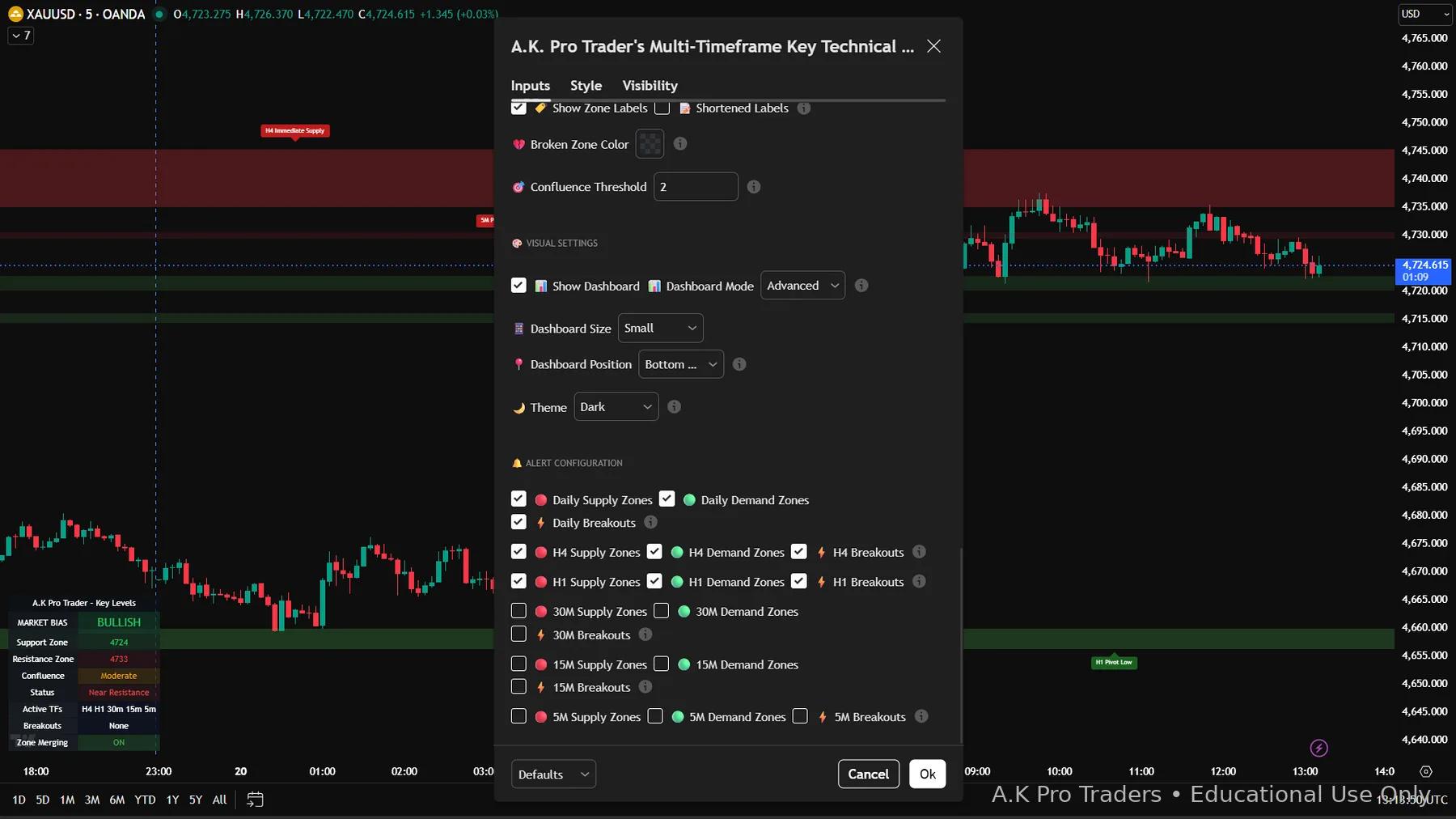
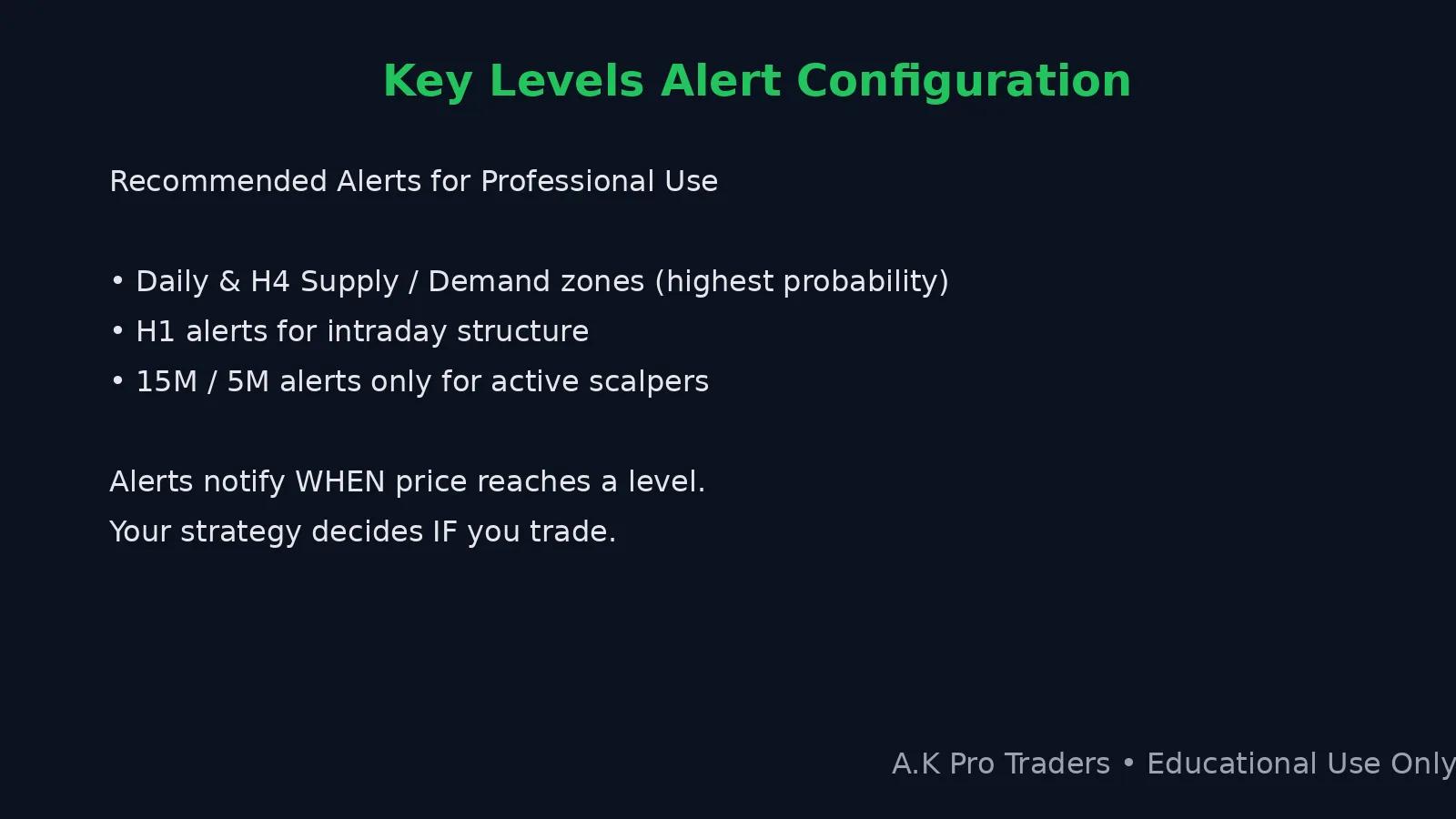
How do I set alerts without getting spammed?▾
Start with H4/H1 only. Add 15M/5M alerts only if you trade those timeframes actively and you have a strict entry model.
Why do XAUUSD key levels fail sometimes?▾
Key levels are probability zones, not guaranteed reversal points. They can fail during strong trends, news volatility, low liquidity, or when traders enter without confirmation.
Can beginners use XAUUSD key levels?▾
Yes. Beginners should start with H4 and H1 levels, keep the chart simple, and avoid trading every zone. Confirmation and risk management matter more than adding more indicators.
What is a bad XAUUSD key levels setup?▾
A bad setup is when price touches a zone during heavy news volatility, the higher-timeframe trend is against the trade, and there is no rejection, sweep, or structure confirmation.
What is the biggest mistake with key levels trading?▾
The biggest mistake is trading zones blindly. Use key levels as decision areas, then confirm with structure, price action, confluence, and a defined risk plan.
8. XAUUSD Key Levels Screenshots & TradingView Settings
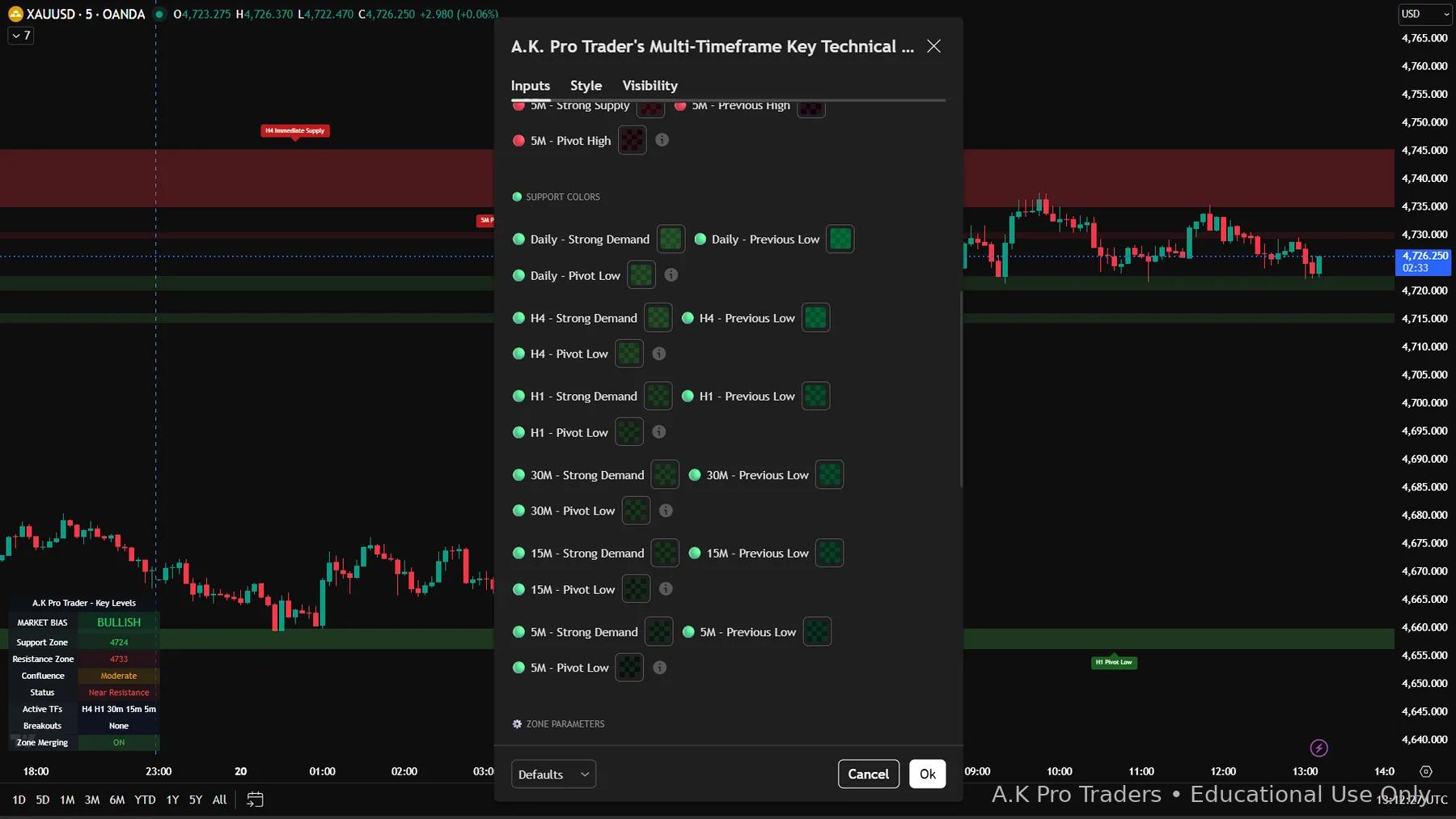
Below are real screenshots showing how Key Levels looks on TradingView, plus the key settings areas (timeframes, supply/demand colours, zone parameters, and alerts).
9. XAUUSD Key Levels Risk Disclosure
Educational content only: All A.K Pro Traders content and indicators are provided for educational and informational purposes only and do not constitute financial, investment, or trading advice.
Risk warning: Trading leveraged products such as forex, indices, commodities and crypto involves substantial risk and may not be suitable for all investors. You can lose more than your initial deposit. Always perform your own research, use appropriate risk management, and consider speaking with a licensed financial professional.
TradingView is a third-party platform. A.K Pro Traders is not affiliated with or endorsed by TradingView.
Ready to use XAUUSD Key Levels on TradingView?
Key Levels is included in the All Indicators bundle with Smart Money Concepts and Toolkit. Try the complete TradingView workflow for 7 days before the subscription begins, or choose Key Levels on its own.
Bundle trial only. No subscription fee today; card required. Subscription starts after 7 days unless cancelled.
Educational information only — not financial advice. Trading involves risk. Always use proper risk management and your own judgement.