
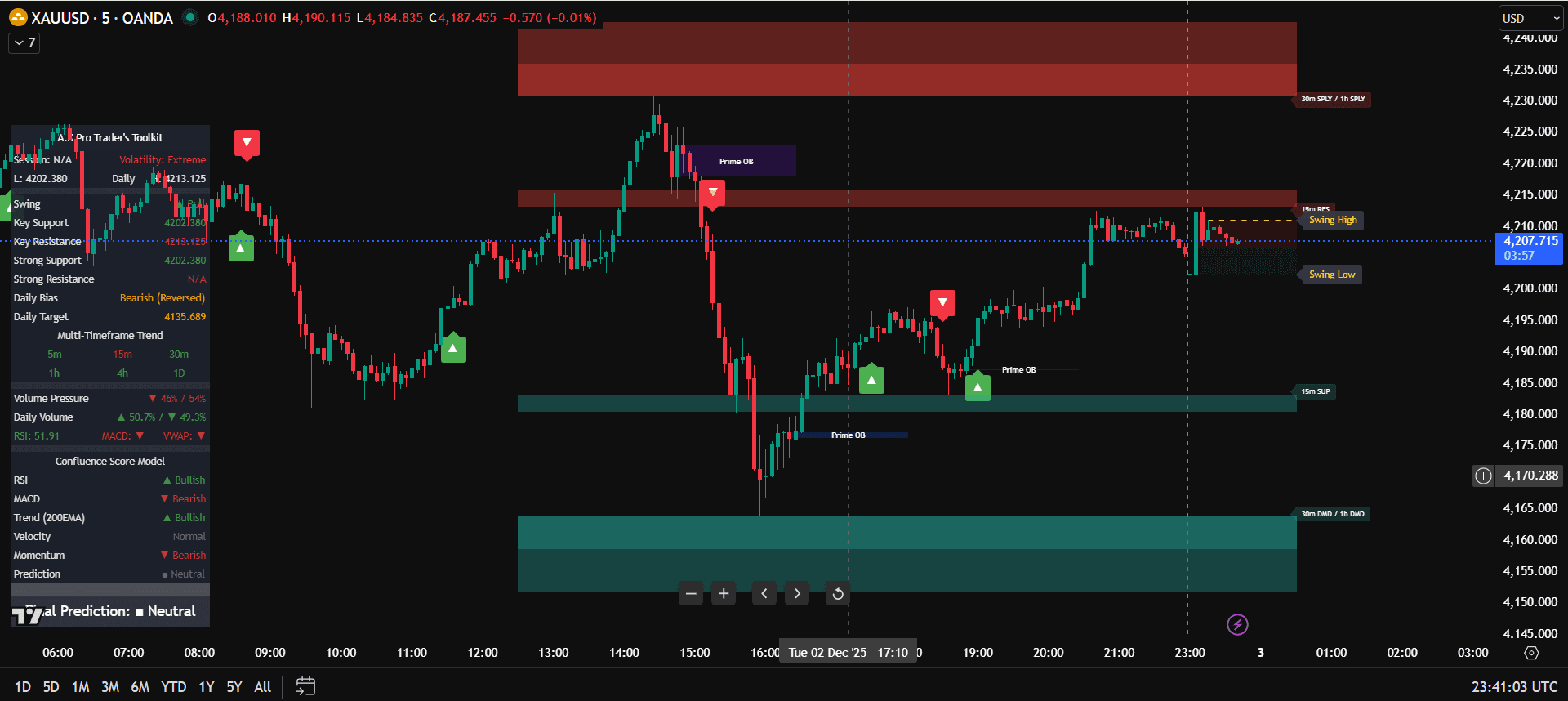
TradingView Indicator Checklist for Beginners
This how to use TradingView indicators checklist helps beginners use the A.K Pro Traders Toolkit with a clean process instead of reacting to every alert. The goal is to check bias, location, confirmation, alerts, and risk before the trade is taken.
Use this checklist with the main how to use TradingView indicators guide so your TradingView setup stays simple, repeatable, and connected to the full Toolkit workflow.
Quick answer: before using any TradingView indicator, confirm higher-timeframe bias, make sure price is near a meaningful level, use one execution filter, set alerts only around planned areas, and calculate risk before entry.
TradingView Indicator Checklist Before Entry
- Bias checked: H4 or H1 direction is bullish, bearish, or clearly ranging.
- Location checked: price is near support, resistance, liquidity, a key level, or a point of interest.
- Indicator role checked: each indicator answers one question and does not duplicate another tool.
- Confirmation checked: the entry has rejection, structure shift, retest, BOS, CHOCH, or another written trigger.
- Risk checked: stop-loss, position size, target, and daily loss limit are decided before entry.
How to Use This Checklist Step by Step
Use the checklist in the same order every time. First decide whether the higher timeframe gives a clear bias. Next, wait for price to trade into a planned level instead of reacting in the middle of a range. Only after location is clear should the TradingView indicators be used for confirmation. This keeps the indicator workflow practical because the tool is supporting a trade idea that already has context.
- Plan the chart before the alert: mark the H4 or H1 direction and the nearest useful level before the lower timeframe is checked.
- Use one confirmation rule: choose rejection, BOS, CHOCH, displacement, or retest confirmation before the session begins.
- Write the invalidation point: decide exactly where the setup is wrong before calculating lot size or target.
- Skip incomplete setups: if one required step is missing, the checklist should block the trade instead of forcing it.
Trust rule for beginners
A checklist is useful only when it can say no. If the bias is unclear, if price has not reached a real level, or if the stop-loss is too wide for normal risk, the safer decision is to wait. The A.K Pro Traders Toolkit can make the chart cleaner, but the final decision still needs context, confirmation, and fixed risk.
Checklist for a Clean TradingView Chart
A clean chart should make decisions easier. If the chart needs ten indicators to explain one trade idea, the setup is probably too complicated. Start with one trend tool, one level or structure tool, and one execution filter. Then remove anything that does not change the decision.
- Keep candle visibility clear so price action is not hidden by labels.
- Use separate layouts for higher-timeframe analysis and lower-timeframe execution.
- Set alerts only around planned levels, not every small signal.
- Do not change settings after one losing trade; review a group of trades first.
XAUUSD Example Checklist
For Gold traders, the checklist becomes even more important because XAUUSD can move quickly around London, New York, and USD news. First check the higher-timeframe story, then mark the nearest liquidity or key level, then wait for confirmation only when price reaches that area.
Good checklist result
H1 bias is clear, price reaches a planned level, the Toolkit confirms structure, and risk is calculated before entry.
Bad checklist result
The trader reacts to an alert in the middle of the range, with no higher-timeframe plan and no fixed stop-loss.
Common Checklist Edge Cases
The checklist should also protect traders when a setup looks tempting but the evidence is incomplete. Skip the trade when price is far from a key level, when TradingView alerts trigger during news, when higher-timeframe bias conflicts with the entry signal, or when the correct stop-loss makes the risk too large.
Alert appears before location is valid
Do not take the alert on its own. Wait until price reaches a planned support, resistance, liquidity, or key-level area first.
Indicators disagree with each other
Remove duplicate tools and keep the clearest one. If the chart needs too many confirmations, the trade is usually not clean enough.
News changes the setup
High-impact news can turn a clean checklist into a risky entry. Wait for spreads and structure to settle before trusting confirmation.
The stop-loss does not fit the account
If correct invalidation makes the position too large or reward too weak, reduce size or skip. Do not tighten the stop to force the trade.
How This Checklist Supports the Main Indicator Guide
This checklist is part of the support cluster for the main A.K Pro Traders indicators guide. Use the main guide to set up the chart, then use this checklist before each trade so the Toolkit is being used as a process rather than a random signal board.
If the chart still feels crowded, read TradingView indicators without overload. For the main indicator overview, visit our TradingView indicators page. After this checklist is clear, move to the TradingView indicators strategy guide to turn the checklist into a full workflow.
FAQ: TradingView Indicators Checklist
What should be on a TradingView indicators checklist?
A good checklist includes higher-timeframe bias, key level or liquidity location, one confirmation rule, alert discipline, stop-loss placement, position size, and daily risk limits.
Should beginners use a checklist before every trade?
Yes. A checklist helps beginners avoid emotional entries and only trade when the chart, indicator confirmation, and risk plan all match.
How many indicators should pass the checklist?
Most beginners only need two or three indicators: one for trend, one for levels or structure, and one for confirmation.
What is the biggest checklist mistake?
The biggest mistake is treating an alert as a complete trade signal before checking higher-timeframe context, location, confirmation, and risk.
This guide is for educational and informational purposes only and does not constitute financial, investment or trading advice.
Related links
Continue your learning with the most relevant indicator overview and plan options.
General Risk Disclaimer
All A.K Pro Traders content and indicators are provided for educational and informational purposes only and do not constitute financial, investment or trading advice. Trading leveraged products such as forex, indices, commodities and crypto involves substantial risk. Always perform your own research, use appropriate risk management and consider speaking with a licensed financial professional before making any trading or investment decisions.